Nederlandstalige versie · Version française
FARO CREAFORM · reverse engineering
FARO RevEng
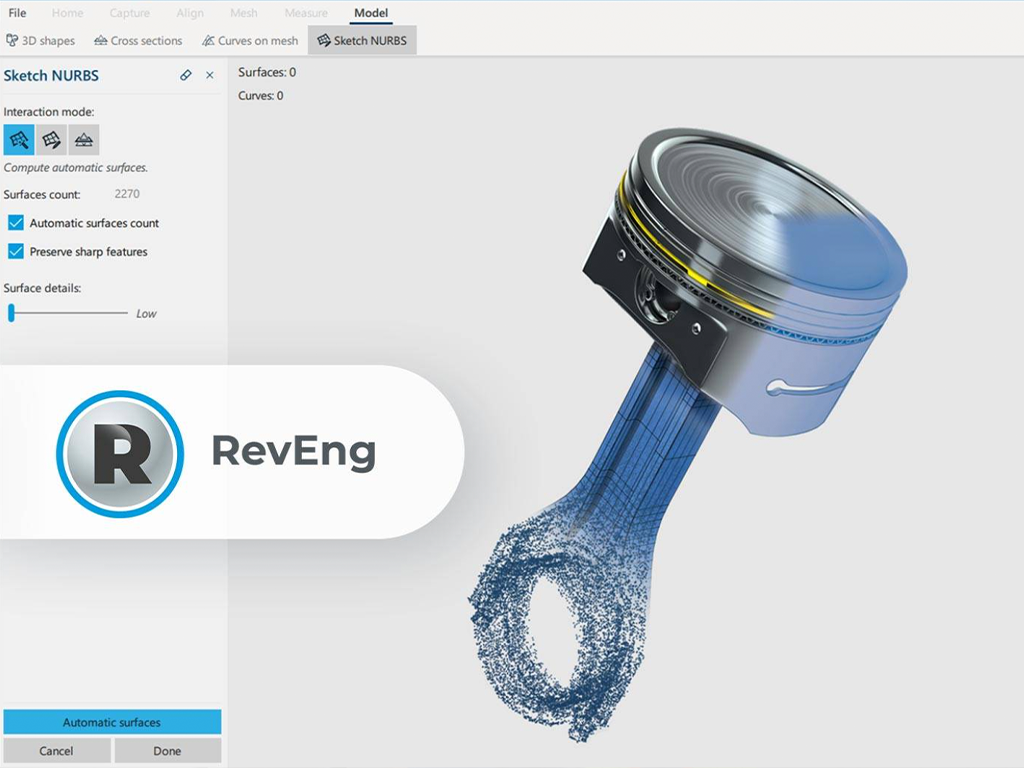
FARO RevEng turns a point cloud into a clean mesh and CAD surfaces, for further design work or for 3D printing. RevEng comes free with a new licence of FARO CAM2 Expert or CAM2 Scan Professional; you can also buy it separately.
Request a demo or more informationCall Philippe
RevEng and CAM2 Expert
FARO RevEng is a separate program alongside FARO CAM2. If you buy a new licence of CAM2 Expert or CAM2 Scan Professional, you get RevEng free with it. In CAM2 you convert a scan into a mesh, which you then process further in RevEng. If you do not have CAM2, you buy RevEng separately.
What does RevEng do?
- Scanning with the ScanArmYou scan directly into RevEng with a FARO ScanArm.
- Optimise and repair meshesAutomatic optimisation, repair and smoothing, and filling holes in the scan.
- Offsets and wall thicknessesOffset a surface or turn it into a shell with a wall thickness.
- Ready for 3D printingExport a watertight mesh that you can print straight away.
- Automatic CAD surfacesWith Sketch NURBS, RevEng automatically fits NURBS surfaces over the mesh, so you can carry on designing in your CAD package.
- ColourProcess meshes in colour, if your scanner captures colour.
Devices and files
RevEng works directly with the FARO Quantum FaroArm and ScanArm with a FAROBlu or Prizm laser line probe, and with the Design ScanArm 2.0, 2.5 and 2.5C. Creaform scanners are not among the devices RevEng controls directly; you import scans from, for example, a Creaform HandySCAN or a FARO Leap ST as a mesh.
- Point clouds: including E57, PTS, XYZ, ASC and PC.
- Meshes: STL, PLY, OBJ, OFF and OM; glTF and GLB for import only.
The current version is RevEng 2026.1 (September 2026).
Frequently asked questions about FARO RevEng
Is RevEng part of FARO CAM2?
RevEng is a separate program, but you get it free with a new licence of CAM2 Expert or CAM2 Scan Professional. It is not included with the other CAM2 editions (Probe Essentials, Probe Professional and Analyst).
Can I buy RevEng separately?
Yes. RevEng is also available without CAM2.
Does RevEng work with a Creaform HandySCAN?
Not directly: Creaform scanners are not among the devices RevEng controls. You export the scan as a mesh (for example STL) and open it in RevEng. If you want to inspect directly with the HandySCAN, you do that in FARO CAM2 Scan Professional or Expert.
RevEng or QuickSurface?
RevEng cleans up scans and creates surfaces automatically, and comes free with CAM2 Expert and Scan Professional. If you want to build an editable CAD model with sketches and features, take a look at QuickSurface.